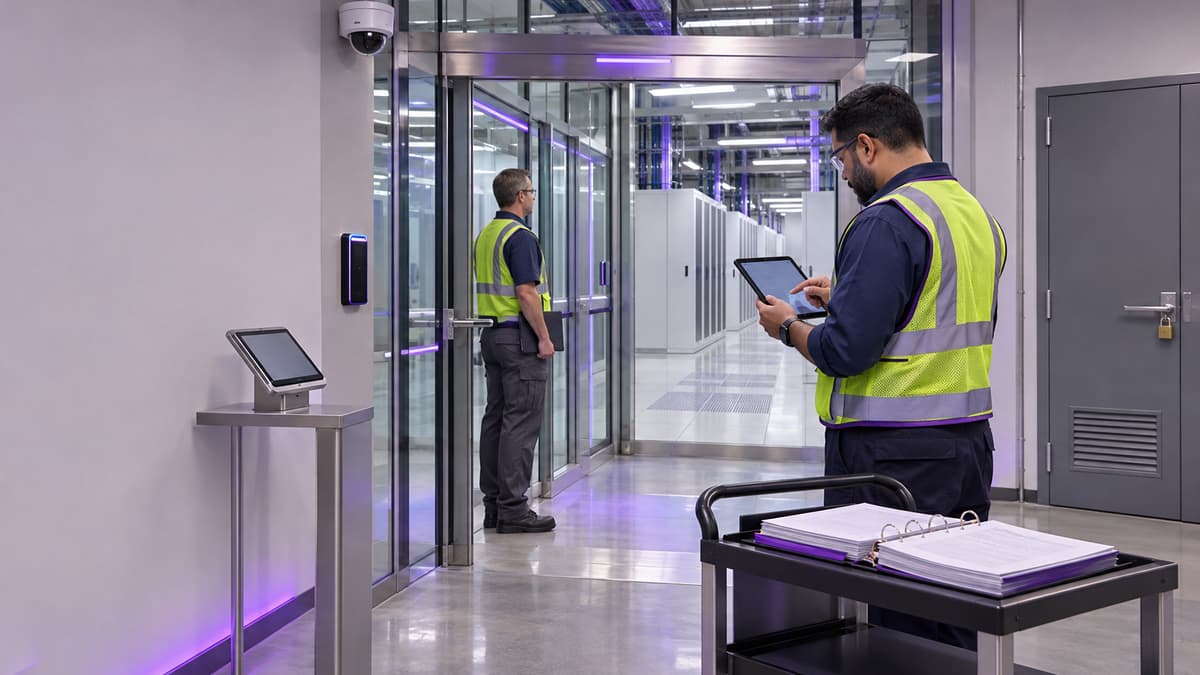
The Operational Question
When a customer audit asks how a data center protects physical access, facility teams need more than a badge-reader inventory or a security policy. They need a traceable story that connects authorized people, controlled doors, visitor handling, camera coverage, maintenance work, alarms, and corrective actions. The practical question is: can the site show that physical controls work during normal operations, contractor visits, equipment service, and an incident?
This matters because a weak evidence package can turn a routine SOC 2 request into a disruptive scramble. Security leads may pull incomplete access reports, facilities managers may have undocumented door exceptions, and technicians may know a procedure that is not reflected in the controlled record. The result is extra audit effort, delayed customer responses, and avoidable doubt about a site that may otherwise be operating well.
This walkthrough gives data center facility managers, security leads, EHS managers, and operations supervisors a practical way to prepare. It separates the control itself from the evidence that demonstrates it, identifies the handoffs between security and critical-facilities teams, and shows how to build a role-based training plan without treating a course certificate as an audit conclusion.
Who This Affects
The issue appears in every site where people, equipment, and customer commitments share a physical environment, but the evidence pattern differs by site type:
- Colocation facilities must coordinate landlord access, customer escorts, contractors, remote-hands work, and shared loading or staging areas.
- Enterprise data centers often rely on a smaller facilities team, which means one supervisor may own access approvals, maintenance coordination, and incident follow-up.
- Hyperscale campuses have more zones, more vendors, and more specialized security systems. Consistency across buildings becomes the challenge.
- Edge sites may have limited staffing, remote monitoring, mechanical keys, or local service partners. A lightweight process still needs clear ownership.
The primary readers are security and compliance leads preparing for a customer or assurance review, facilities managers responsible for doors and building systems, operations managers coordinating work windows, and training coordinators who need to assign the right learning to each role. NOC staff, guards, electricians, HVAC technicians, commissioning agents, and third-party maintenance providers also touch the control environment.
The situation is especially important when a site has recently opened a new data hall, changed a badge platform, added a mantrap, replaced a camera system, changed a guard vendor, or experienced a security incident. It also matters after organizational changes. A departed employee, transferred contractor, or new shift supervisor can expose gaps between an access list, a work-order system, and what people actually do at the door.
What Can Go Wrong
The most common failure is not that a control is completely absent. It is that the site cannot connect the control to a reliable record. A badge reader may be working, but the report may not show who approved access, when the access was reviewed, or whether a former contractor was removed promptly.
Several conditions create risk:
- A temporary badge remains active after a maintenance window closes.
- A guard logs a visitor on paper, while the electronic visitor system shows a different arrival or departure time.
- A camera covers the lobby but not the door where a person enters the data hall.
- A mantrap alarm is acknowledged locally without a documented review of the event.
- A technician props open a controlled door while moving a filter, battery cabinet component, or tool cart.
- A facilities work order references a door or camera by an old asset name, so the evidence cannot be tied to the current floor plan.
- An emergency access method exists, but no one can show who is authorized to use it or how the key or override is controlled.
These gaps can affect safety and uptime as well as audit readiness. An unauthorized person near switchgear, UPS equipment, generators, chillers, or network distribution areas can create a security concern and an operational distraction. An open door can change environmental conditions, interrupt zoning assumptions, or allow uncontrolled movement during a live maintenance activity. During an incident, unclear authority slows the response and makes the later timeline harder to reconstruct.
Physical security evidence also has a privacy and retention dimension. Access reports, video, visitor records, and incident notes may contain personal information. Teams should define who can retrieve them, how they are protected, how long they are retained, and what can be shared with a customer or auditor. A good package demonstrates control without distributing more sensitive information than necessary.
SOC 2 is an attestation framework evaluated against the applicable Trust Services Criteria, not a data center license or a government approval. A facility training course can help staff understand control responsibilities, but it does not make an organization SOC 2 compliant and it does not replace the organization’s policies, operating records, or independent examination.
Physical work can also intersect with hazardous energy. If a security control requires a door, panel, gate, or equipment enclosure to be serviced, the work still needs to follow the site’s safety and energy-control procedures. OSHA’s lockout/tagout rule addresses unexpected energization and release of stored energy during servicing and maintenance. Security evidence should never encourage a person to bypass an electrical or mechanical safeguard just to preserve access logs or keep a door operational.
What Managers Should Check
Use the walkthrough as a control-to-evidence exercise. For each item, identify the control owner, the system of record, the review frequency, and the exception path.
- Map the protected zones. Start with the property boundary, reception or guard point, loading area, mantrap, data halls, electrical rooms, battery rooms, generator areas, mechanical rooms, network rooms, and control rooms. Confirm that the current floor plan, door list, camera map, and asset names agree.
- Define access authority. Document who approves employee, contractor, visitor, emergency, and customer access. Separate the person requesting access from the person approving it. Check that access profiles match job duties and that elevated access has an owner and an expiration date.
- Test joiner, mover, and leaver handling. Select a small sample of recent hires, transfers, vendor changes, and departures. Trace each from the request to approval, badge issuance, zone assignment, change, or removal. Look for timing differences between the human-resources record, the contractor roster, the security platform, and the work-order system.
- Review visitor and contractor evidence. Verify that the process records identity checks, purpose, escort status, authorized area, arrival, departure, and badge return. For recurring vendors, confirm that a standing access arrangement has an accountable owner rather than becoming permanent by habit.
- Walk the doors and alarms. Physically inspect a sample of controlled openings. Check badge readers, request-to-exit devices, door position alarms, forced-door alerts, mantrap interlocks, emergency release behavior, and local annunciation. Record the test date, tester, result, exception, and corrective-action owner. Do not test a life-safety feature casually. Coordinate with the approved procedure and affected operations staff.
- Verify camera coverage and retrieval. Confirm that the camera view supports the control objective at entrances, sensitive zones, and high-risk transition points. Retrieve a controlled sample without exposing unnecessary personal information. Record retention settings, time synchronization, export permissions, and who can approve release of video.
- Trace one maintenance window. Pick a completed work order involving a controlled area. Follow the request, risk review, escort or access approval, door activity, work completion, badge return, and closeout. Ask whether a door was held open, whether a temporary badge was used, and whether any exception was documented.
- Reconcile exceptions. Review forced-door events, lost badges, shared credentials, propped doors, camera outages, failed interlocks, and after-hours entries. A useful record states what happened, who assessed it, whether the control was restored, and what prevents recurrence. A log full of closed tickets is less useful than a small set of well-explained records.
- Check emergency access. Identify the approved method for fire, medical, utility, and security emergencies. Confirm that emergency keys, override codes, mechanical bypasses, and escort responsibilities are controlled and tested. Include the facilities duty manager, security lead, and incident commander in the review.
- Protect the evidence package. Create an index that names the control, date range, source system, owner, and redaction rule. Provide representative samples rather than an uncontrolled export of every badge event. Keep the working package in the approved repository with access limited to the audit team and control owners.
The best walkthrough produces a short action register. Give every gap a risk statement, interim measure, owner, due date, and closure evidence. If a camera is out of service, for example, the record should show temporary guard coverage or another approved compensating measure, not just the words “camera issue.”
A simple evidence test
For each control, ask five questions:
- Can a new supervisor understand what the control is supposed to prevent?
- Can the team identify the person who owns the decision?
- Can an independent reviewer see when the control operated?
- Can the site explain exceptions without blaming a single shift or vendor?
- Can the facility show that corrective action was verified?
If the answer is no, the next step may be a process change, a system configuration change, a records cleanup, or targeted training. Do not solve every evidence weakness by buying another tool.
Which Training Fits This Situation
Start with the roles, not the audit request. A security lead who approves access needs a different learning path from a technician who receives an escort into a battery room. The goal is consistent behavior and reliable records across the physical site.
For managers who own the overall program, Security & Compliance for Data Centers provides the broadest fit. Its focus includes facility security, SOC 2 and ISO 27001 context, physical audit requirements, access control, surveillance, and incident response planning. It can anchor a role-based plan for security supervisors, compliance leads, and facilities managers who need to connect policies to evidence.
For staff working directly with badges, visitors, cameras, and incident records, Access Control & Physical Security is a practical modular specialization. It is a useful assignment for guards, security coordinators, facilities operators, and supervisors who need a shared vocabulary for authorization, surveillance, and reporting.
For technicians and other data hall personnel who need a concise orientation, Data Center Physical Security and Access Control Training can establish expectations for controlled areas, escort rules, access behavior, and reporting. It is appropriate for new hires, remote-hands staff, contractors, and employees who do not administer the security platform but must follow the controls.
A broader team plan can use the Security & Compliance Bundle for security and compliance roles, then add targeted assignments from operations or safety tracks. For example, a facilities technician who services electrical or mechanical equipment may also need site-specific electrical safety, hazardous-energy, or equipment training. The bundle and courses support a training program; they do not certify a person as a security auditor, grant a regulatory license, or guarantee an audit result.
Managers should document completion, but they should also validate application. A short supervisor observation can confirm that a technician checks authorization before entering a restricted room, wears the required identification, reports a propped door, and closes the work record with the right evidence. That observation is more useful than treating a completion record as proof that every procedure is being followed.
Common Mistakes to Avoid
- Treating a SOC 2 request as a document hunt instead of a test of how the site operates.
- Using the same access profile for employees, visitors, guards, contractors, and emergency responders.
- Exporting full badge or video histories without a defined purpose, retention rule, or privacy review.
- Assuming a successful badge read proves that the person was authorized for the correct zone and time.
- Ignoring loading docks, roof access, mechanical rooms, battery areas, and temporary construction entrances.
- Testing doors, alarms, cameras, or emergency releases without coordinating with operations and life-safety procedures.
- Letting a vendor own the evidence with no internal control owner who can explain the result.
- Closing a corrective action when a ticket is marked complete, without checking the physical control or record that proves restoration.
- Giving every role the same course list. Training should reflect authority, exposure, task frequency, and the decisions each person makes.
- Claiming that a certificate of completion is a certification, an endorsement, or evidence that a course provider has approved the facility.
One especially damaging habit is retroactive reconstruction. If a maintenance window was poorly recorded, do not create a polished record that suggests certainty. Mark the limitation, preserve the available evidence, record the improvement, and change the process before the next work window.
Key Takeaway
A customer audit becomes easier when a data center can show a connected chain from authorized access to observed activity, exception handling, and verified correction. The strongest evidence is ordinary operating evidence that security, facilities, and operations teams already understand and maintain.
This week, choose one sensitive zone and run a 30-minute control-to-evidence walkthrough with the security lead and facilities supervisor. Trace one recent contractor visit from approval through badge return, write down the first gap you find, and assign an owner before the next maintenance window.
Sources
- AICPA & CIMA, 2017 Trust Services Criteria
- NIST, Security and Privacy Controls for Information Systems and Organizations, SP 800-53 Rev. 5
- NIST, Security Control Overlay for Electronic Physical Access Control Systems
- Occupational Safety and Health Administration, 29 CFR 1910.147 Control of Hazardous Energy