The Operational Question
Rack work looks routine until a technician has to move a dense server, lift a battery module, pull a cable bundle from an awkward position, or hold a tool above shoulder height while standing on a narrow aisle. In a live data center, the physical strain is joined by uptime pressure, restricted access, hot and cold aisle constraints, and the need to keep hands, carts, and materials away from energized equipment. The question for a facility manager is not whether people should “lift correctly.” It is whether the task, equipment, route, and work sequence have been designed so the safest practical method is also the easiest method to follow.
This checklist helps managers identify manual-handling risks before rack installation, removal, inspection, or maintenance begins. It explains how to look at load weight, grip, reach distance, posture, repetition, floor conditions, cart selection, team lifting, and recovery time as one work system. It also shows how server-room ergonomics connects to preventive maintenance planning, contractor coordination, and role-based training. The goal is a repeatable pre-task review that protects people and reduces the chance that a strain, dropped component, blocked aisle, or hurried recovery creates a larger operational problem.
Ergonomics is not a substitute for electrical safety, lockout/tagout, fall protection, or equipment-specific procedures. It is a layer that makes those controls easier to carry out because technicians can see, reach, position, and handle what the procedure requires.
Who This Affects
The immediate audience is the critical facilities technician or data center technician who works in or around racks, cabinets, PDUs, battery systems, raised floors, and maintenance staging areas. The issue also affects the manager who schedules the work and the people who control the room before the first tool is unpacked.
- Enterprise sites where a small facilities team handles server moves, cabinet repairs, and building-maintenance work between operational priorities.
- Colocation facilities where customer equipment, contractor access, and shared aisles create more coordination steps than a simple warehouse move.
- Hyperscale campuses where repetitive work, standardized rack rows, and material-handling equipment can reduce risk only if the standard method is actually used.
- Edge and smaller sites where there may be less room for a lift table, fewer people for a team lift, and more dependence on one technician improvising.
- Operations managers who own work permits, method statements, maintenance windows, and vendor expectations.
- EHS managers and training coordinators who need evidence that employees and contractors received task-relevant instruction.
- Electricians, HVAC technicians, cabling teams, and commissioning agents who may not think of their work as “server-room work” but still handle heavy or awkward components in a critical space.
It is especially relevant when a project changes the physical workflow: a new row of cabinets, a battery replacement, a raised-floor repair, a cable pathway expansion, a chiller-control upgrade, or a decommissioning campaign. A task that was manageable with empty racks can become difficult when a room is occupied, a corridor is narrowed, or equipment must be staged farther away.
What Can Go Wrong
The most visible consequence is a sprain or other musculoskeletal injury. Less obvious is the chain of operational effects that can follow. A technician who is fatigued, in pain, or trying to recover a slipping load may lose attention to an exclusion zone, a cabinet door, a live adjacent assembly, or a required communication step. A dropped component can damage equipment, a raised floor tile, a cable, or the technician’s foot. A cart parked across an egress path can create a second hazard for everyone in the room.
Manual-handling risk is shaped by more than the number on a shipping label. The same component becomes harder to control when it is lifted from floor level, carried with the hands far from the body, rotated through a narrow aisle, or placed above chest height. A box with poor handholds may be more difficult than a heavier box with a stable grip. Repeated small lifts can also create cumulative strain when the work continues for hours without a task rotation or recovery plan.
NIOSH’s Revised NIOSH Lifting Equation is a useful assessment tool for two-handed lifting tasks. It considers variables such as load weight, horizontal and vertical hand position, travel distance, twisting, frequency, duration, and coupling quality. It is not a universal permission slip or a replacement for a site’s job hazard analysis. It helps a manager see why a load that seems acceptable in one setup may need redesign in another.
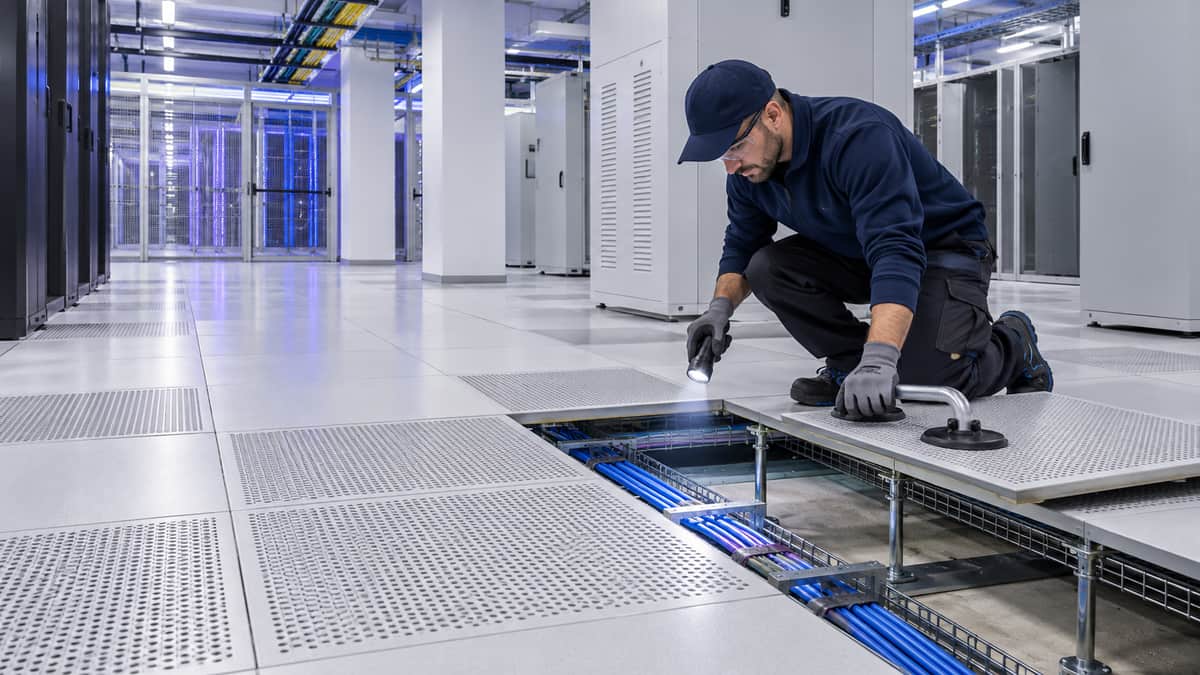
Poor workstation setup creates a different but related problem. A technician may spend a long maintenance window kneeling, leaning into a rack, reaching across a cabinet, or working at a temporary console with the monitor too low. Awkward neck, shoulder, wrist, and back positions can make troubleshooting slower and increase fatigue even when no single lift is heavy. OSHA’s workstation guidance emphasizes neutral positioning and adjustability because there is no single posture that works for every person or task.
There are also uptime and cost consequences:
- A component can be installed at the wrong height or with damaged rails because the team rushed a difficult lift.
- A technician may skip a planned inspection after discomfort develops, allowing a small maintenance finding to remain open.
- A contractor may use an unapproved cart, remove a cabinet door without coordination, or stage packaging where it obstructs airflow or egress.
- A manager may extend a maintenance window because the team underestimated setup, rest, or material movement time.
- A near miss may be recorded as an individual mistake even though the route, tool, or staffing plan made the mistake predictable.
The compliance context matters too. Ergonomics guidance does not create a blanket rule that every data center task requires a particular lift limit, certification, or medical evaluation. Managers should follow applicable OSHA requirements, manufacturer instructions, site procedures, and local policy, while using recognized ergonomic assessment methods to improve the work. Training should support the program, not be presented as a regulatory certification.
What Managers Should Check
Use this review before the work order is released, and repeat it when the actual room conditions differ from the plan.
- Define the exact handling task.
Write down what will be moved, from where, to where, how many times, and by whom. “Install equipment in Row C” is too broad. A useful description might say that two technicians will move a server from a staging cart to a rail set at chest height, then slide it into a cabinet while a third person manages the cable path. Include removal, packaging, and return trips. The empty-cart trip and the awkward repositioning often create more exposure than the planned placement.
- Confirm the load and its grip.
Record the actual weight when available, not just the shipping weight. Check whether the load has handles, a stable center of gravity, sharp edges, loose covers, or a shape that prevents two-handed control. For batteries, power supplies, dense networking hardware, and mechanical parts, ask whether the manufacturer specifies a lifting aid or a two-person method. Do not let a familiar label such as “hot-swappable” hide the physical work required to remove and support the item.
- Review the reach, height, and route.
Look at the origin and destination of the lift. Floor-level pickup, overhead placement, deep cabinet reach, and twisting around a door all change the task. Measure the route for cart width, door clearance, turning radius, floor transitions, ramps, raised-floor conditions, and temporary barriers. Keep the load close to the body when possible, but do not trade a back strain for a hand or electrical hazard by reaching into an unsafe space.
- Choose the handling aid before the window.
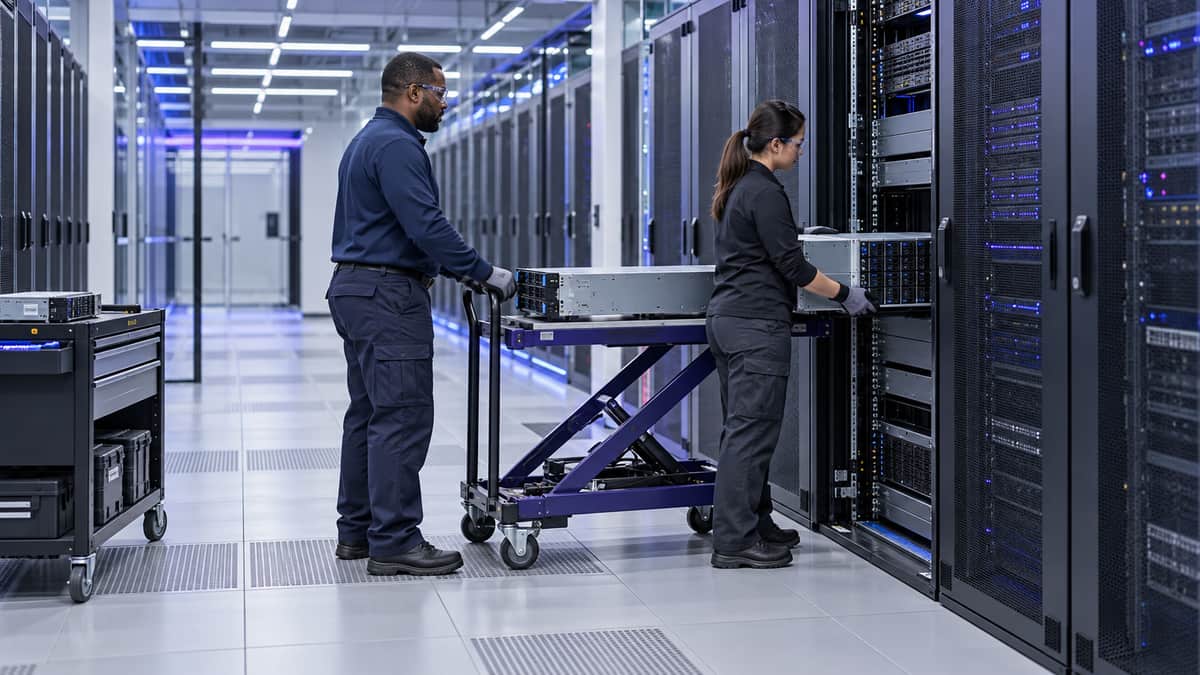
Select a cart, lift table, rail support, cabinet dolly, shelf, or other aid that matches the load and the aisle. Verify its capacity, brakes, wheel condition, height range, and compatibility with the floor. Place the aid where it is needed before the component is unboxed. If the right equipment is unavailable, reschedule or change the method. A last-minute search for a cart is exactly when teams start sliding equipment across the floor or carrying it farther than planned.
- Make team lifting specific.
“Get help if needed” is not a procedure. Identify the number of people, the person giving commands, the hand positions, the route, and the set-down location. Make sure everyone understands whether the load will be lifted, slid, tilted, or transferred to an aid. Team lifting does not remove risk if one person cannot see the path or if the load is too large for the group to control. Practice the motion with an empty or representative load when the task is unfamiliar.
- Protect the room while protecting the worker.
Establish a clear staging area and keep packaging, tools, and carts out of egress paths, fire equipment access, and required clearances. Coordinate cabinet doors, aisle containment, temporary lighting, and customer access. Check that a lift or cart will not contact exposed conductors, overhead busway, sprinkler components, leak-detection cable, or the rack’s front and rear airflow path. The work plan should state who stops the task if the route changes.
- Plan posture changes and recovery.
For longer jobs, break the work into stages that allow technicians to change position. Provide a suitable stool, kneeling support, height-adjustable work surface, or temporary console where appropriate. Rotate tasks only when the replacement task uses different muscle groups and does not introduce another hazard. A rotation that simply moves the same awkward reach to another person is not a control. Include reasonable recovery time in the schedule rather than treating it as lost productivity.
- Verify the technician’s training and boundaries.
The person doing the work should know how to inspect the handling aid, recognize an unstable load, communicate a stop, and report discomfort or a near miss. They also need the separate electrical, mechanical, fire, access-control, and permit training that the task requires. A technician trained in manual handling is not automatically authorized to operate a powered industrial truck or work on energized equipment. Keep those permissions explicit.
- Capture learning after the task.
Ask what was heavier, lower, farther, tighter, or more repetitive than expected. Record whether the cart height worked, whether a cabinet door had to be removed, whether the staging area was large enough, and whether the team needed another person. Feed those observations into the next work order and preventive-maintenance plan. A short after-action note can prevent the same improvisation across every row.
Which Training Fits This Situation
For a technician who handles equipment in server rooms, the most direct catalog match is Server Room Ergonomics and Manual Handling Training. Its focused subject makes it useful as a pre-assignment module for new technicians, contractors, and staff who do occasional rack or cabinet work. The course should sit beside, not replace, the site’s task-specific method statements and practical demonstrations.
Managers who own the broader workflow can pair it with Data Center Operations Management to connect safe physical work with maintenance windows, communications, work control, and uptime decisions. Preventive Maintenance Planning is relevant when the goal is to build ergonomic checks into recurring work orders rather than add a reminder after an injury or near miss. Building Maintenance Fundamentals can help staff who move between server-room tasks and the wider facility, where doors, floors, access routes, and building conditions affect handling risk.
For a team that needs coverage across daily operations, maintenance, incident response, and general facility-management skills, the site’s Operations & Reliability Bundle includes these kinds of role-based subjects, including Server Room Ergonomics and Manual Handling Training. A bundle is not automatically the right choice. A single course may be enough for a narrowly defined onboarding need, while a broader plan may make sense for a multi-role team with different responsibilities.
A practical role-based sequence could look like this:
- New technician: Server Room Ergonomics and Manual Handling Training, followed by a supervised walkthrough of carts, staging areas, and cabinet access.
- Facilities technician: add Data Center Operations Management and the site’s electrical or mechanical safety modules that match the assigned equipment.
- Maintenance planner: add Preventive Maintenance Planning and require an ergonomic task review for recurring heavy or awkward work orders.
- Supervisor or contractor coordinator: review the method statement, staffing plan, equipment inspection, and stop-work expectations before authorizing the window.
The training outcome should be observable. Ask the learner to identify the handling variables, select the aid, explain the team-lift communication, and point out when the job must stop for a different method. Learners receive a certificate of completion from the course, but the certificate is not a regulatory license or certification to perform unrelated work.
Common Mistakes to Avoid
- Using a generic “lift safely” paragraph for every work order instead of describing the actual load, route, and placement height.
- Treating a two-person lift as safe without assigning a leader, checking visibility, or planning the set-down.
- Buying a cart based only on rated capacity while ignoring wheel condition, height, brakes, turning radius, and floor compatibility.
- Removing cabinet doors, rails, or panels without checking the manufacturer procedure and the effect on stability, cooling, or access controls.
- Scheduling all of the heavy work at the end of a long maintenance window, when attention and grip quality are already declining.
- Counting a worker’s willingness to “push through” discomfort as evidence that the method is acceptable.
- Staging boxes, tools, and wrapping in the aisle because the designated area is inconvenient.
- Assuming contractors understand the site’s ergonomics, access, and stop-work expectations without a pre-task briefing.
- Measuring success only by whether the equipment was installed. A successful task also leaves the room orderly, the equipment undamaged, the route clear, and the lessons recorded.
Key Takeaway
Server-room ergonomics is a design and planning problem, not just a lifting reminder. When managers specify the load, route, aid, staffing, posture changes, and stop-work conditions before a rack task begins, technicians have a safer and more predictable way to protect both themselves and the facility. This week, choose one recurring rack or cabinet work order, walk the real route with the technician who performs it, and add one concrete ergonomic control to the next job plan.